
Step 1: Go to Google Search Console
First, you’ll want to navigate to the Google Search Console home page. Then, sign in using your Google account.
Step 2: Add Property to Search Console

Step 3:
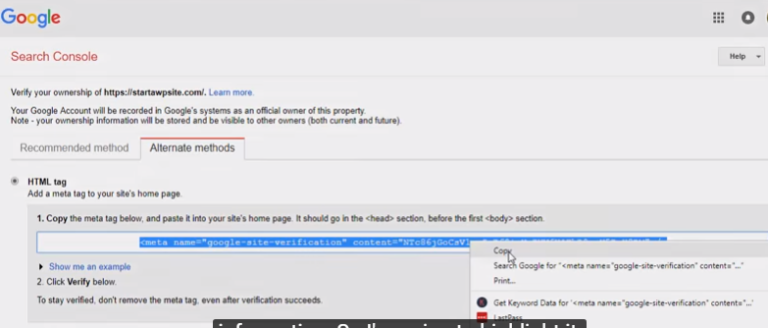
Once you add the site then you need to verify ownership. click the alternative method and add the HTML tag and copy the code
step 4 :
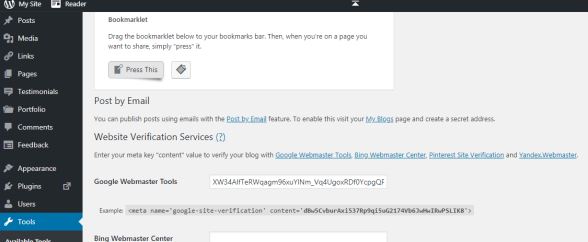
Next go to the WordPress dashboard click the tools->available tools paste the code in the google webmaster tool and click the save change
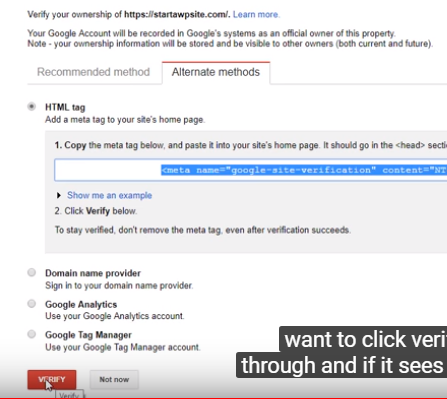
Step 5 : Go to the webmaster tool-> alternative method click the verify button it has been verified now it’s added to the site
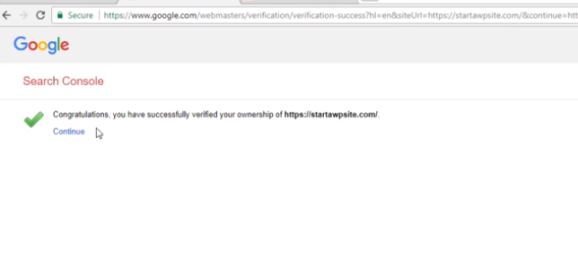
Now click the continue button
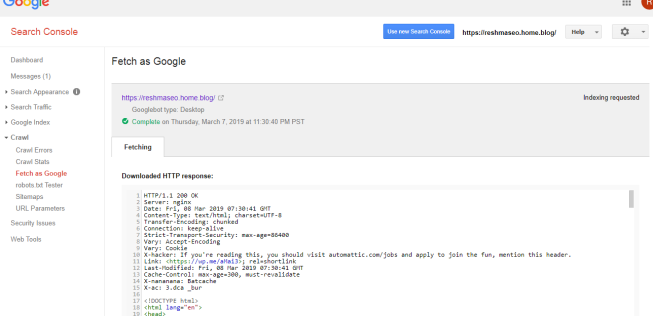
Go to the old version of webmaster tool click the crawl -> Fetch as Google you can enter the your site URL and the click the fetch button

And the click the request indexing select I’m not a robot and select he first option crawl only this URL

And next click the request indexing Now your site is available in Google search result





 Robin SEO Analyst