Verify WordPress blog in Search console

verification

Step 1: Go to Google Search Console

First, you’ll want to navigate to the Google Search Console home page. Then, sign in using your Google account.

Step 2: Add Property to Search Console

add property


Step 3:
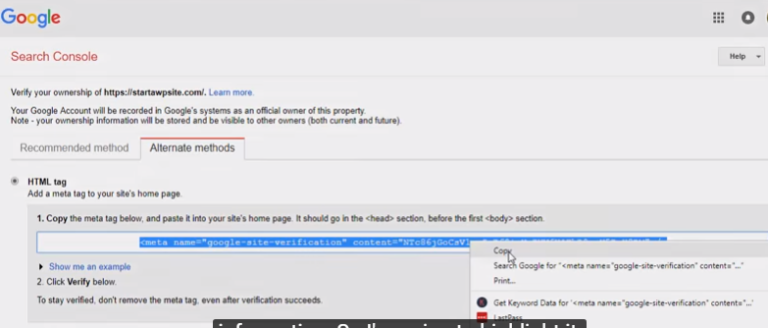
Once you add the site then you need to verify ownership. click the alternative method and add the HTML tag and copy the code
add site

step 4 :
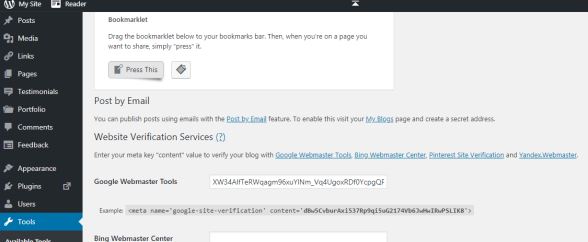
Next go to the WordPress dashboard click the tools->available tools paste the code in the google webmaster tool and click the save change
dashboard

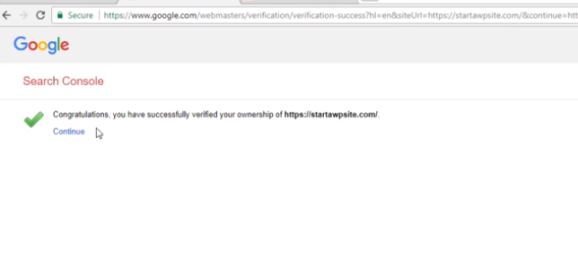
Step 5 : Go to the webmaster tool-> alternative method click the verify button it has been verified now it’s added to the site
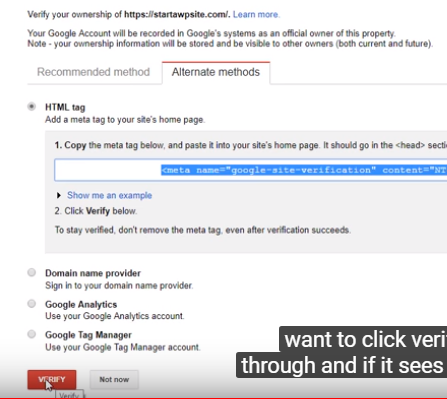
verify page

Now click the continue button

search console

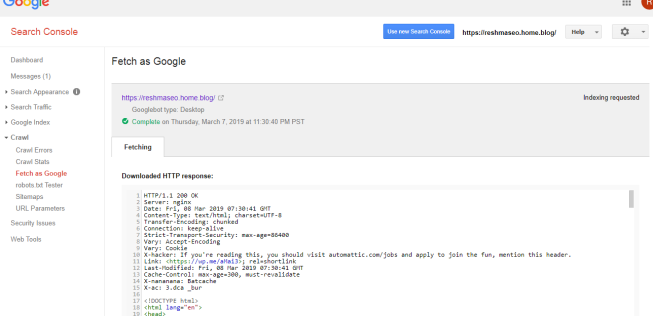
Go to the old version of webmaster tool click the crawl -> Fetch as Google you can enter the your site URL and the click the fetch button

fetching

And the click the request indexing select I’m not a robot and select he first option crawl only this URL

not robot

And next click the request indexing Now your site is available in Google search result

index
fetch as google

Verify using Bing webmaster tool

bing webmaster tool

Bing Webmaster Tools (previously the Bing Webmaster Center) is a free service as part of Microsoft’s Bing search engine which allows webmasters to add their websites to the Bing index crawler. The service also offers tools for webmasters to troubleshoot the crawling and indexing of their website, Sitemap creation, submission and ping tools, website statistics, consolidation of content submission, and new content and community resources.It is also same as google webmaster tool.

Once you signed in to your account you can see an Add a Site box. Enter your website URL and click on the “ADD” button. Enter the correct URL with WWW or without WWW, since they are considered as two different websites from Bing’s perspective.

add

Check the previous entered URL
Enter your Sitemap URL – Optional
Set a time for Bing-bot crawling your website

Fill the details and save is shown below

details
details 1

Now you will get meta tag code is shown below, And meta tag code copy and go to WordPress website.

xml

Open WordPress Admin panel and click tools button.is there show available tools.just click it.

dashboard

Now you can see bing webmaster center box.look like below image

center box

The meta tag code paste to the box and save it.And go to bing webmaster tool tab and click verify

verify ownership

Now Verification process is successfully completed

Search Console VS Google Analytics

comparison

A simple way to describe the difference between Google Analytics and Google Webmaster Tools is this: Webmaster Tools provides an information or you can say insights on how search engines interact with your site, while Google Analytics provides an information on how website users interact with your site.As a Digital Marketing Analyst or SEO Analyst, it is very important to know the difference between Google Analytics and Google Search Console (Google Webmaster tool).

Purposes of both the tools are different. Let’s discuss in detail!

Google Analytics will help you analyze your data and gives you valuable information. Whereas Google Webmaster Tools or Google Search Console will let us know about SEO, Site’s Positioning, Search traffic, Query, Impression, clicks and more.


Google Analytics :

1.Google Analytics will help you to know the demographics of your website.
2. New Visitor Vs Returning Visitors Report.
3.From which location visitors are more.
4.Google Analytics will let you know the time that your visitors spend on your site.
5.Whether your device is eco-friendly or not?
6. Source/medium of your traffic.
7.Top content.
8.Top Performing keywords.
9.Conversion rate.


Google Search Console:

1.Let you know the website performance.
2.Gives you the sitemaps report, whether URL is properly indexed or not.
3.Google search Console will help you to detect HTML errors of your website.
4.AMP report helps you check the errors like page load time, mobile ranking, server performance etc.
5. Google Search Console will help you find out the pages which Google is unable to crawl.
6.Fetch as Google/URL Inspection is used for test how Google renders your site.
7.URL Parameters will manage the duplicate content and set preferences for Google on how you want each parameter types to be treated.
8.Remove URLs tool quickly help you to remove all the duplicate contents.
9.The Links to Your Site report in Google webmaster tools gives you the report of what websites are linking.

How to create a free blog

WordPress is the best CMS(content management system)platform to create a free blog.Google’s own blogging site is blogger.com .it is also a good blog creating platform


How to create a free blog in blogger

Blogger is a platform to create a free blog.This platform is very easy for starters.because it is easy to handle and use

blogger

1.create a blogger account .

2. Choosing a blog name and a theme

3.Optimizing your blogger blog


How to create a free blog in a WordPress

WordPress is a CMS platform used to create blogs.WordPress is developed in php and mysql .WordPress is the most used CMS platform

following steps are how to create blog in WordPress


Step 1: Go to WordPress.com and click start and it will help you to create your blog


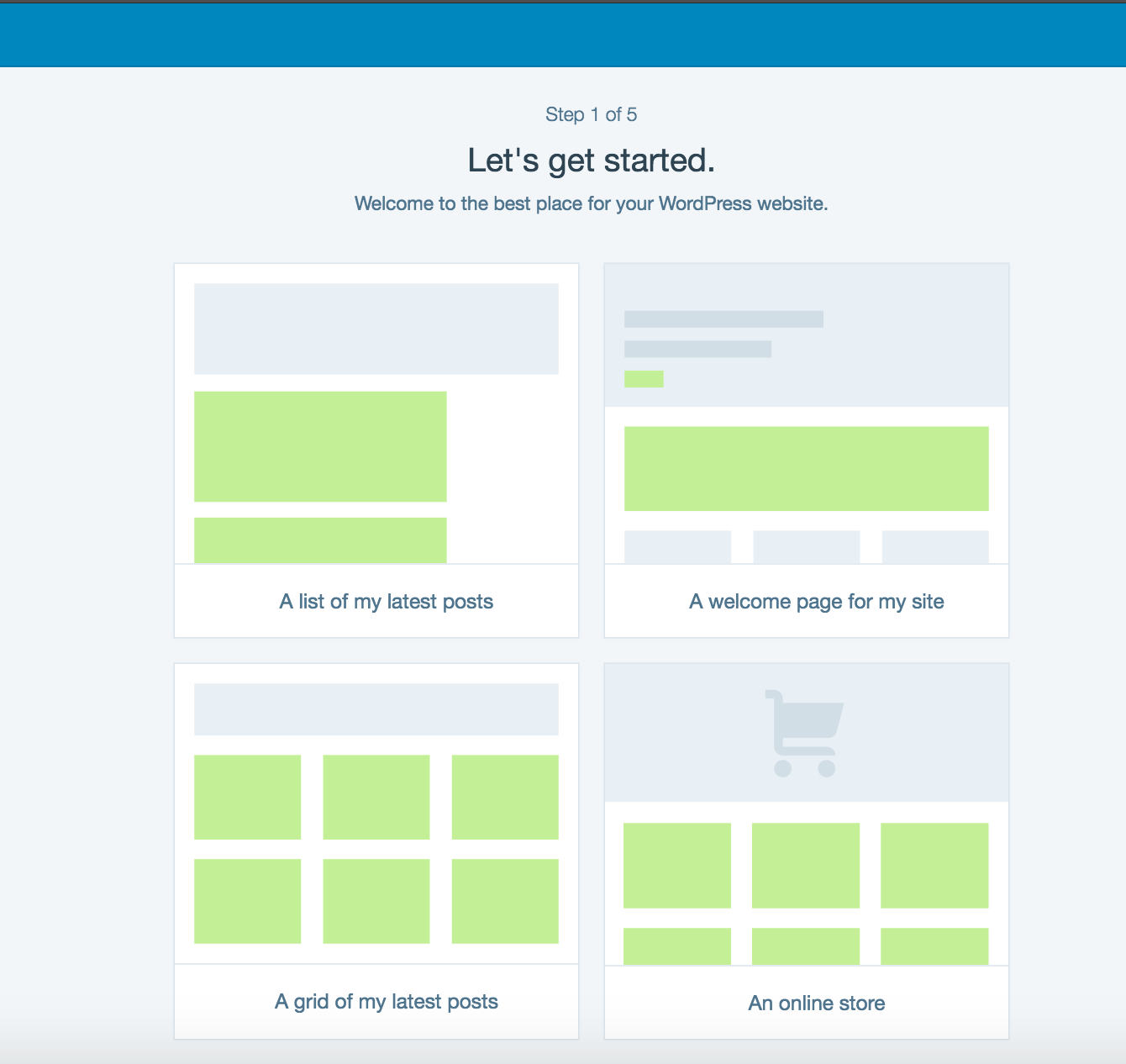
Step 2: Choose A Homepage Layout

The first step is to choose a homepage layout for your WordPress free blog. There are four possible options.

layout


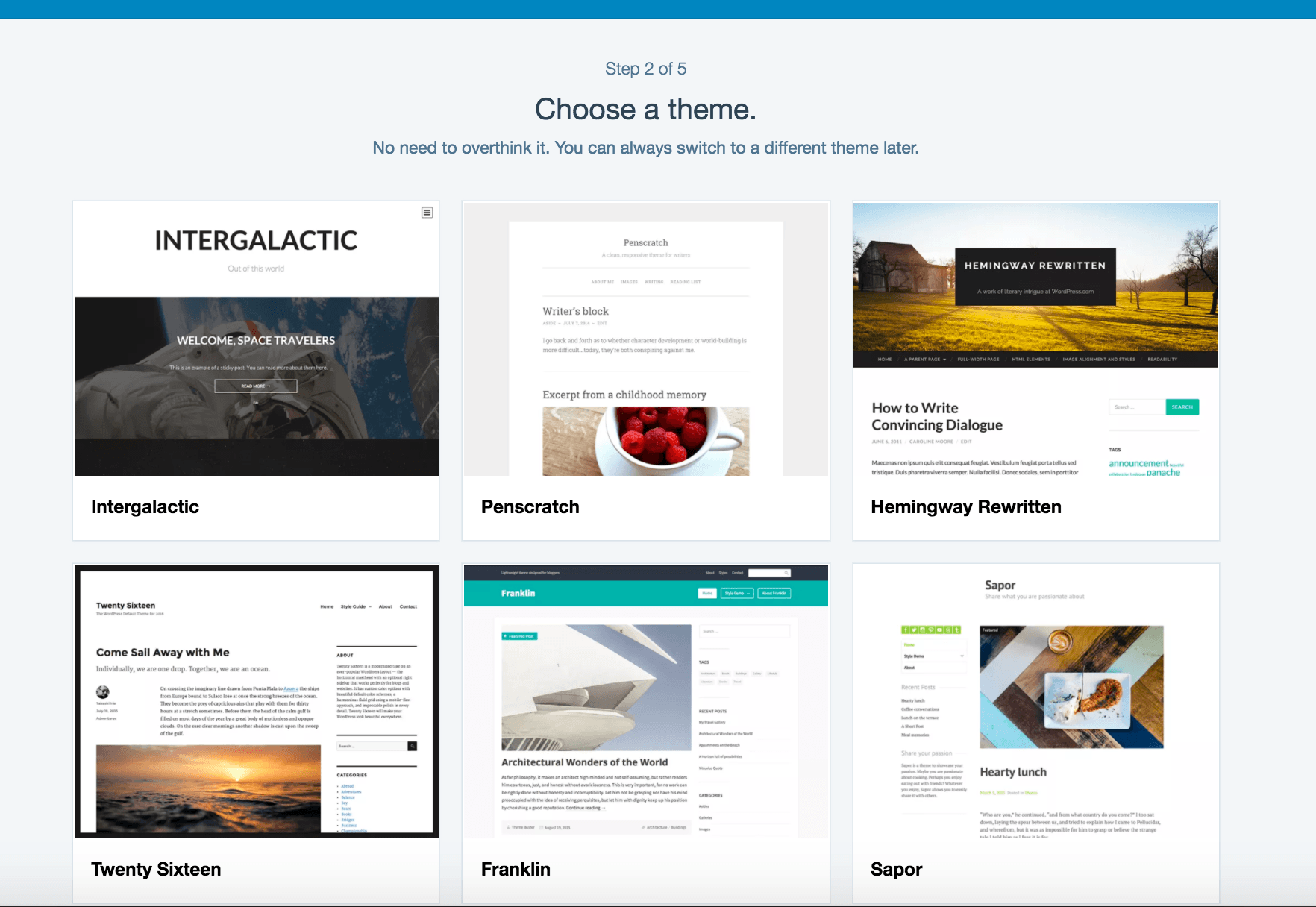
Step 3: Choose A Theme

theme


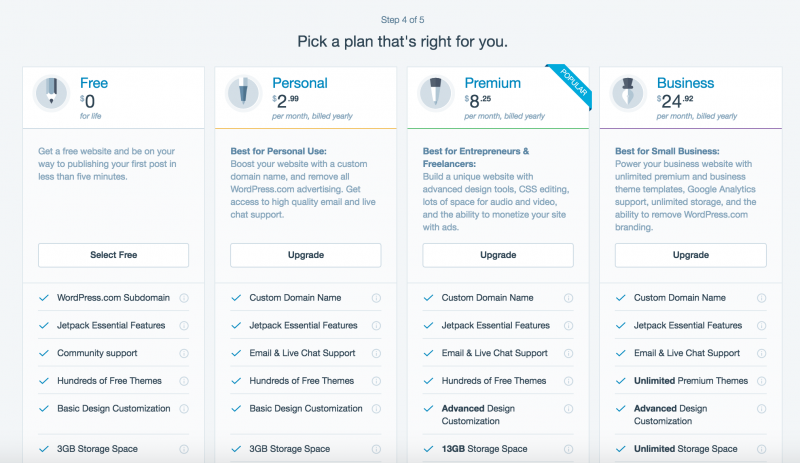
Step 4: Pick A Plan

plan

you need to click on the “select free” button

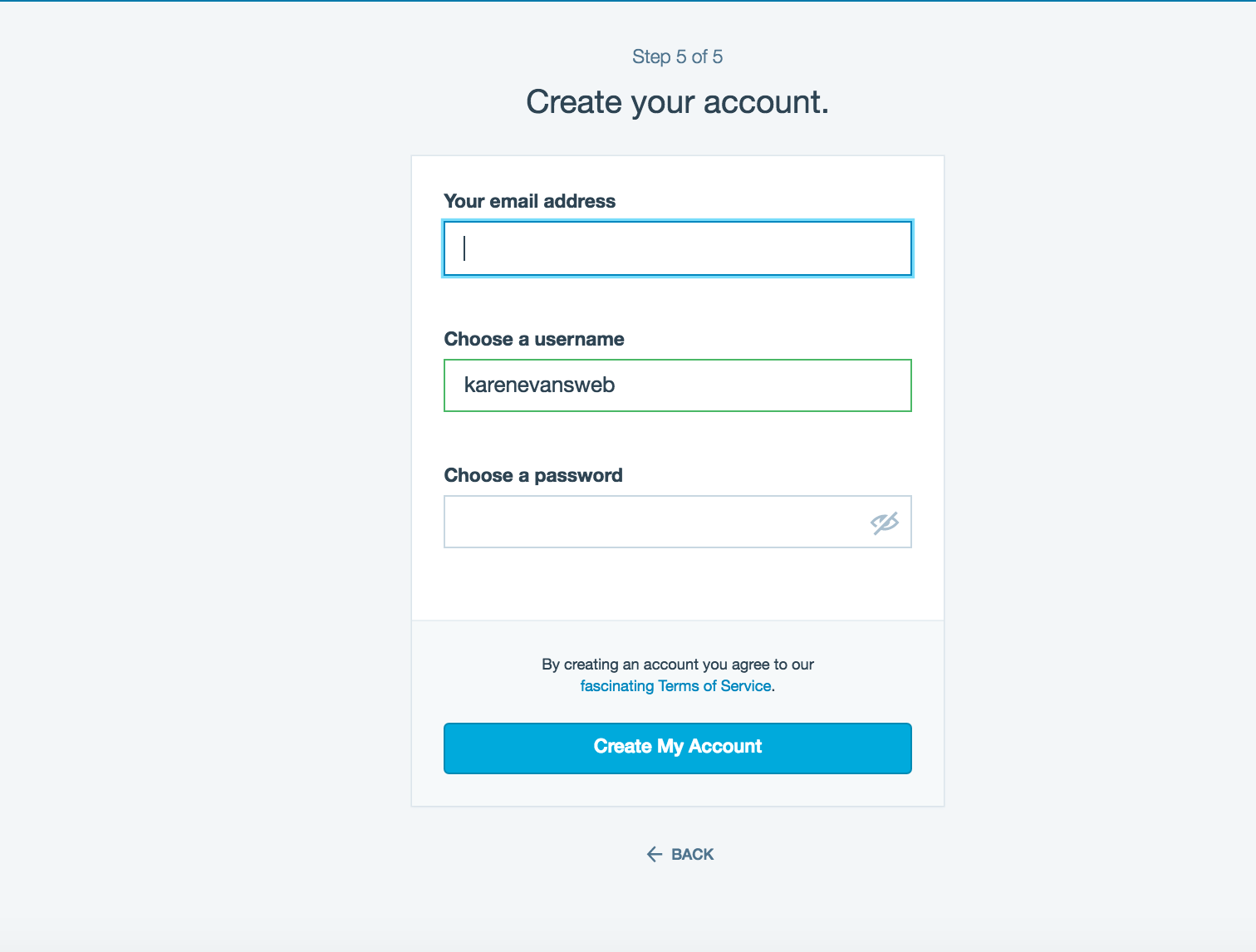
Step 5: Create your account

create account

Tips Of Feed Burner

Feed Burner is a web feed management provider introduced in 2004.It provides custom RSS feeds and management tools for bloggers, podcasters, and other web-based content publishers. Google acquired Feed Burner in 2007.Feed Burner was founded by Dick Costolo, Eric Lunt, Steve Olechowski, and Matt Shobe.

feed burner

Feed burner is actually an add-on service for your blog it track people who subscribe o your blog using RSS .RSS(really simple syndication) means it is a type of web feeds which allow users and applications to access new updates to online content in a standardized, computer-readable format.These feeds can, for example, allow a user to keep track of many different websites in a single news aggregator. The news aggregator will automatically check the RSS feed for new content, allowing the content to be automatically passed from website to website or from website to user. This passing of content is called web syndication.

my website feed


How to add feed to your blog

select on the publicize tab->click let chooses your feed burner account and then copy the html code

click to appearance->widgets in your dashboard

select on the desired sidebar to expand

attach a text widget to the desired sidebar by dragging it from available widget

paste the HTML code from the feed burner,click save and close

click on the publicize tab->Email subscription in your feedburner

account and click on activate

copy the HTML code

go to appearance->widgets in your blog dashboard

click on the sidebar to expand.Add a text widget to the sidebar by dragging it from accessible widget

Paste the HTML code for feed burner email subscription in the widget ,click save and close